
Product Tours
Product tours are popup windows in the Workday UI that provide onboarding information about a Workday product for new users.
Product tours can include these UI elements:
Title text
Body text
Link text
Buttons
Video and Images
For additional guidelines on UI text, refer to the other sections in this Content style guide. If you can't find the information you need there, refer to the Workday Administrator Guide.
Title Text
Use title case.
Be clear and concise.
Introduce the product and/or useful features of the product.
Example

See also:
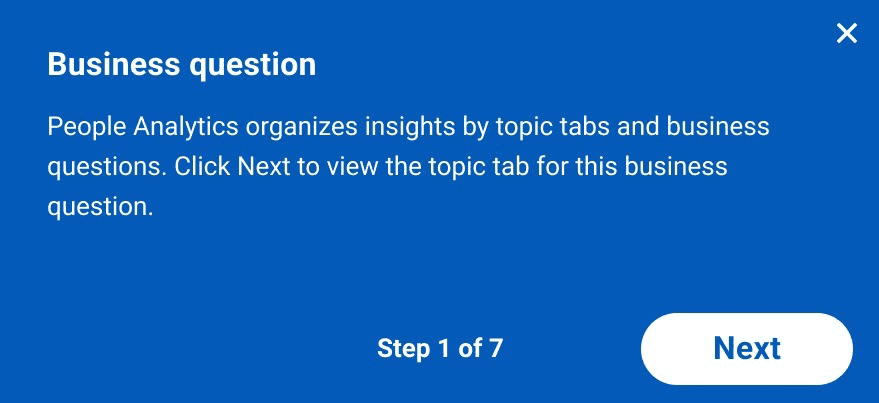
Body Text
Use sentence case.
Include periods at the end of complete sentences.
Call out useful features of the product.
Example
See also:
- Dialogs, Popups, and Modals Style Guidelines
- Punctuation Style Guidelines
- Tooltips and Toasts Style Guidelines
- Voice and Tone Style Guidelines
Link Text
Use title case.
Be clear and concise.
Summarize why the link is useful.
Example

See also:
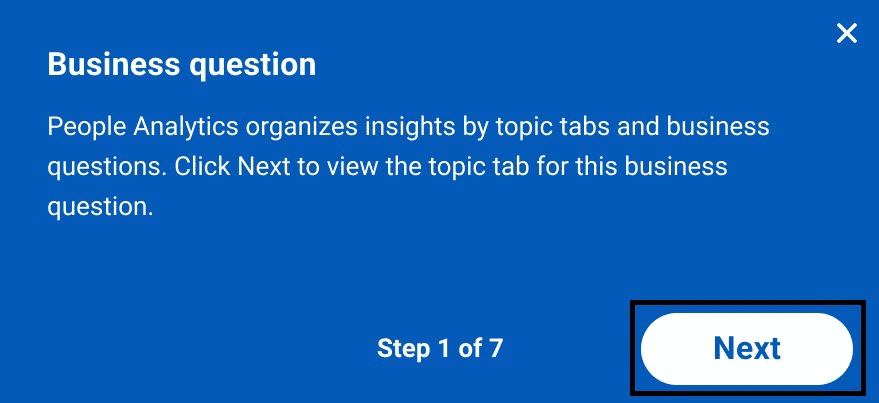
Buttons
Use title case.
Be clear and concise.
Summarize the action that the button performs.
Example
See also:
Additional Resources
Figma Samples: Product Tours Figma Samples
Video Demo Sample: Product Tours Sample Demo
Can't Find What You Need?
Check out our FAQ section which may help you find the information you're looking for. For further information, contact the #canvas or #canvas-kitchannels on Slack.
FAQ Section