
For Designers
Contributing to Canvas
Contributions to Canvas ensure the design system continues to improve and evolve to better serve our diverse product community.
Want to Contribute?
Have a contribution for the Canvas team? We're excited to partner with you!
Fill out the Contribution Form to kick off the process!
Understanding Canvas Contribution
Contribution is the process of adding something created by your team into Canvas, which can be leveraged by your team and others. This can be assets like icons and illustrations, design and code for new components as well as other types of documentation.
The contribution workflow is not a one-size-fits-all process. Adding a new icon is different from changing the typography hierarchy. Updating component documentation is more light-weight than contributing a completely redesigned, fully functioning page header. We’ve organized our contribution model below to based on this diversity and to provide a better understanding how to evolve our design system to work best for you.
Types of Contributions
Tokens
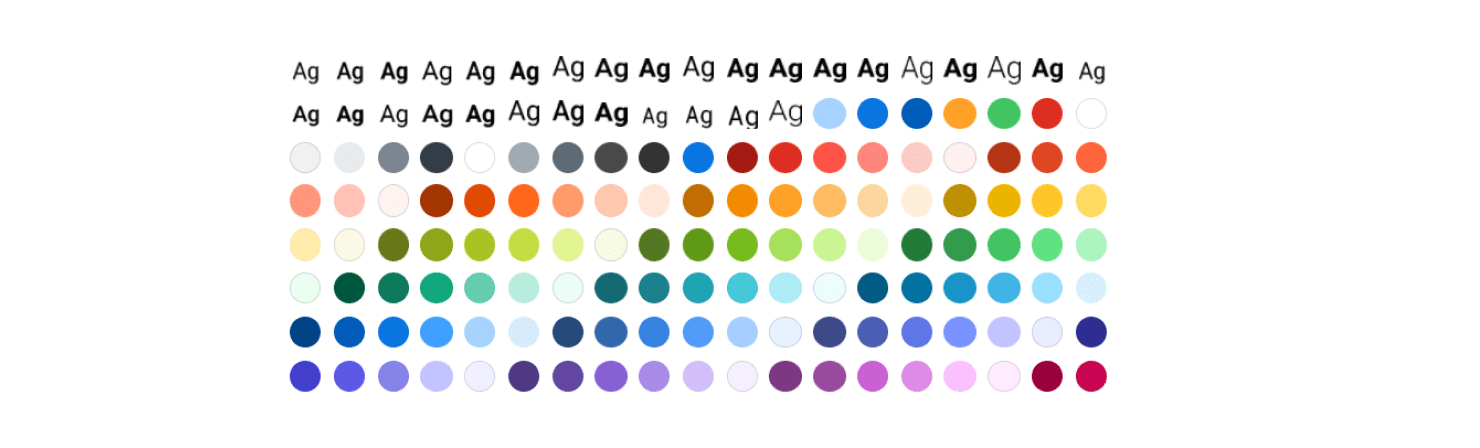
As the core foundations of Canvas, additions and enhancements to Tokens are rare but extremely important. If there’s Token that doesn’t work for your team or you’re interested in adding to or evolving token library, contact #canvas Slack channel. It’s a conversation we’d love to have.
To learn more about Tokens in detail, visit the Canvas Tokens page.
Assets
Assets are the most common contribution because they exist at a smaller scale and in most cases the end-product is a single SVG deliverable. See below for more information on the types of assets catered for.
Icons
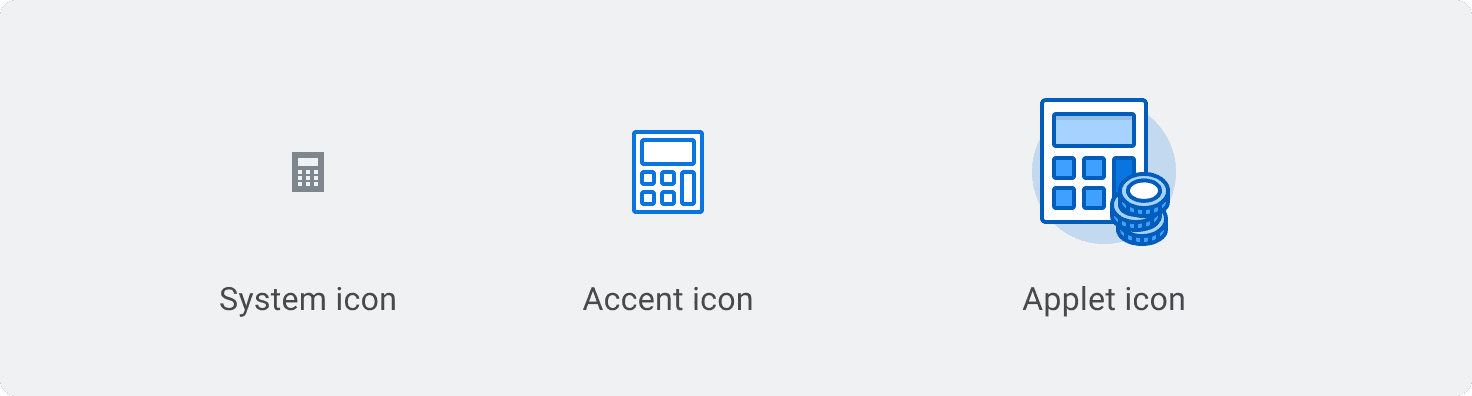
Icons add visual interest and reduce cognitive load. At Workday, they come in the form of System, Accent, or Applet icons. If you would like to contribute any of these icon types to Canvas, visit the Asset Contribution Process section of this page to learn more.
Things to Know
- Review our icon libraries before submitting and new one to ensure it doesn’t currently exist in the system.
- Follow the Canvas icon design guidelines to ensure visual consistency and proper formatting. The guidelines provide a process for streamlining the icon design process so it can seamlessly be added to the library.
- After you’ve submitted the form, someone from Canvas will contact you to gather more context, provide feedback on your submission, and discuss next steps.
- If you need help designing an icon, Canvas can guide you through the process. You can reference the Icon Contribution & Design Guidelines get you started with visual standards, icon rules (color, spacing, stroke, motion, etc.), layer organization, exporting, and more.
Illustrations

Illustrations can be an artful way to introduce storytelling, sophistication and approachability to our products. Examples include empty states, avatars, graphics, and more. The process for contributing illustrations is quite similar to Icons but with a more hands-on approach from UX-Studio and Creative Direction to maintain a level of quality and alignment with brand requirements.
Things to Know
- Before submitting illustration concepts and requests, review our illustration Usage Process and decision tree.
- Review the Workday Illustration Libraryto ensure the illustration (or something like it) doesn’t currently exist in the system. You may find an existing illustration in the library that meets your needs.
- Once you’ve reviewed the Usage Process, decision tree, and WD Illustration Library, fill out the contribution form. In your submission, be sure to include your concepts and works-in-progress to help serve as a starting point.
- After you’ve submitted the form, someone from Canvas will contact you to provide feedback on your submission, gather more context, and discuss next steps.
- If you need help designing an illustration, UX-Studio can guide you through the process.
Components

Canvas Components are universally reusable building blocks like buttons, input fields, status indicators, modals, etc. These are built and maintained by the Canvas team. If your new component is a good candidate for universal use we'd like to hear from you.
Similar to Assets, if you’d like to contribute a component to Canvas you should be sure to review our Component Library to familiarize yourself with our existing components. Once you’ve done so, head over to the contribution form and submit a request for the component you’d like to contribute. You’ll be contacted by a member of the Canvas team once we’ve triaged the contribution request and we can begin the process.
Most contributions will follow our component contribution model: Discover, Define, Design, Deliver. We break this process down for you in detail in the Component Contribution Process section of this page.
Patterns
Enhancements to our Patterns or the creation of a new Pattern start with a conversation and involve deep collaborations between product teams and Canvas. If you’re interested in contributing to Canvas Patterns, contact anyone on the Canvas team directly or let us know in the #canvas slack channel. Just like tokens, these are big conversations that we’re always happy to have.
Benefits of Contribution
Our mission at Canvas is to enable fast, sustainable design and development of unified user experiences. In order to get there as a lean team, we depend on frequent collaboration and contribution from product teams to ensure the design system meets their needs. More importantly, they’re the ones defining the user experiences for your products, and have deep understanding of their users like no other. This knowledge is invaluable when it comes to evolving the design system. Contributing to Canvas offers a world of benefits:
- A federated approach to evolving design systems that fosters an expanded and shared ownership of Canvas.
- It brings your product area and domain expertise to Canvas.
- Greater visibility into what’s happening in the Workday Design System space.
- Develops a stronger understanding of the system as a whole. It’s an organic educator!
- It makes Canvas more flexible to suit your specific requirements, use cases, and customers.
Asset Contribution Process
The Asset contribution process starts with you and your team. Once a need for a new asset has been identified, you can kick off the process and contribute your asset to the design system. The Canvas team has created guidelines to help you self-serve with the creation of assets, outlined in the sections below.
Before Submitting a Contribution
Please review our icon libraries and Workday illustration library to ensure the asset required, or something similar to it doesn’t currently exist in the Canvas Design System.
Designing An Icon
Canvas offers detailed guidelines to reference when creating an icon asset, catering for all fidelities of icons available. Utilize these guidelines and design principles to build fast, accurate assets for System, Accent and Applet icons that can be contributed directly to the design system.
Designing An Illustration
To contribute an illustration to Canvas, review the Illustration Process where you can find additional guidance and and resources to help streamline a contribution. The process for contributing illustrations is similar to icons but with a more hands-on approach from UX-Studio and Creative Direction to maintain a level of quality and alignment with brand requirements. They’ll require approval from Workday Branding and Creative Direction. Canvas partners with the UX Studio team to provide extra support for contributors when working on Illustrations.
Contributing Assets
When your asset is designed, or close to completion, submit it via the Contribution Request Form. Canvas will help to take your contribution through its final steps and prepare it for release. Submissions from the contribution form are reviewed weekly by Canvas and once a contribution has been approved, a ticket is created so you can track the progress of your contribution and its release. A Canvas team member will reach out to you to gather any additional context and review your contribution concepts.
If you or your team cannot design you required asset, your contribution request will be added to the Canvas backlog and later prioritized so a member of Canvas can work on it. This process can take considerably longer.
Contribution Release
New asset contributions are released every 6 weeks based on the Canvas Asset release cadence. The expected release of your contribution will be made available on your contribution’s ticket. Each release involves support from our design and development partners.
When assets are released and added to the Canvas Design Assets repository, they are ready for use by developers building with Canvas Kit. A member of the Canvas team will contact you when your contribution has been added to the Canvas repository but be sure to check your ticket's status during the release window. Additional support from UIC is required for teams that need to use contributed assets in XO.
Updating or Enhancing Existing Assets
Updating or enhancing an existing asset is considered a breaking change. Additional work is required across the entire Workday system to ensure the update appears correctly throughout Workday’s products. The timeline for these kinds of contribution is separate from the Canvas Asset release cadence. These requests may take considerable longer to roll out.
Getting Started
In order for Canvas to be a living, evolving system that represents all of our product organization, we need community participation. Contributing components to Canvas is a means to connect your product area expertise to improving outcomes for users across all of Workday.
When you or your team identifies a component that you want to contribute, be sure to review the Canvas Kit Storybook and the Canvas Component Library to ensure that your component (or something similar to it) doesn’t currently exist in the system. You may find an existing option that can meet your requirements or satisfy your use case.
The Component Contribution Process
Enhancements to our components or the creation of a new component involve collaboration between product teams and Canvas. No two contributions will be the same, and while some can be completed in few hours, others may require a longer-term committment to discovery, design explorations, implementation, and documentation.
If you’re interested in contributing to Canvas Components, use the contribution form to inform the Canvas team of the component that you would like to contribute. Questions? Let us know in the #canvas slack channel or contact anyone from the Canvas team directly.
Can't Find What You Need?
Check out our FAQ section which may help you find the information you're looking for. For further information, contact the #canvas or #canvas-kitchannels on Slack.
FAQ Section